
Batch email
One template, a personal message for each applicant.
An admin writes the email once, then sends it to the applicants they select. A variable such as [[first name]] is replaced with that item’s own value, so the same letter can tell someone they are shortlisted, offer a time for a 1-1 meeting, or update them on their application. Nothing goes out until you have previewed each message.
How to use it
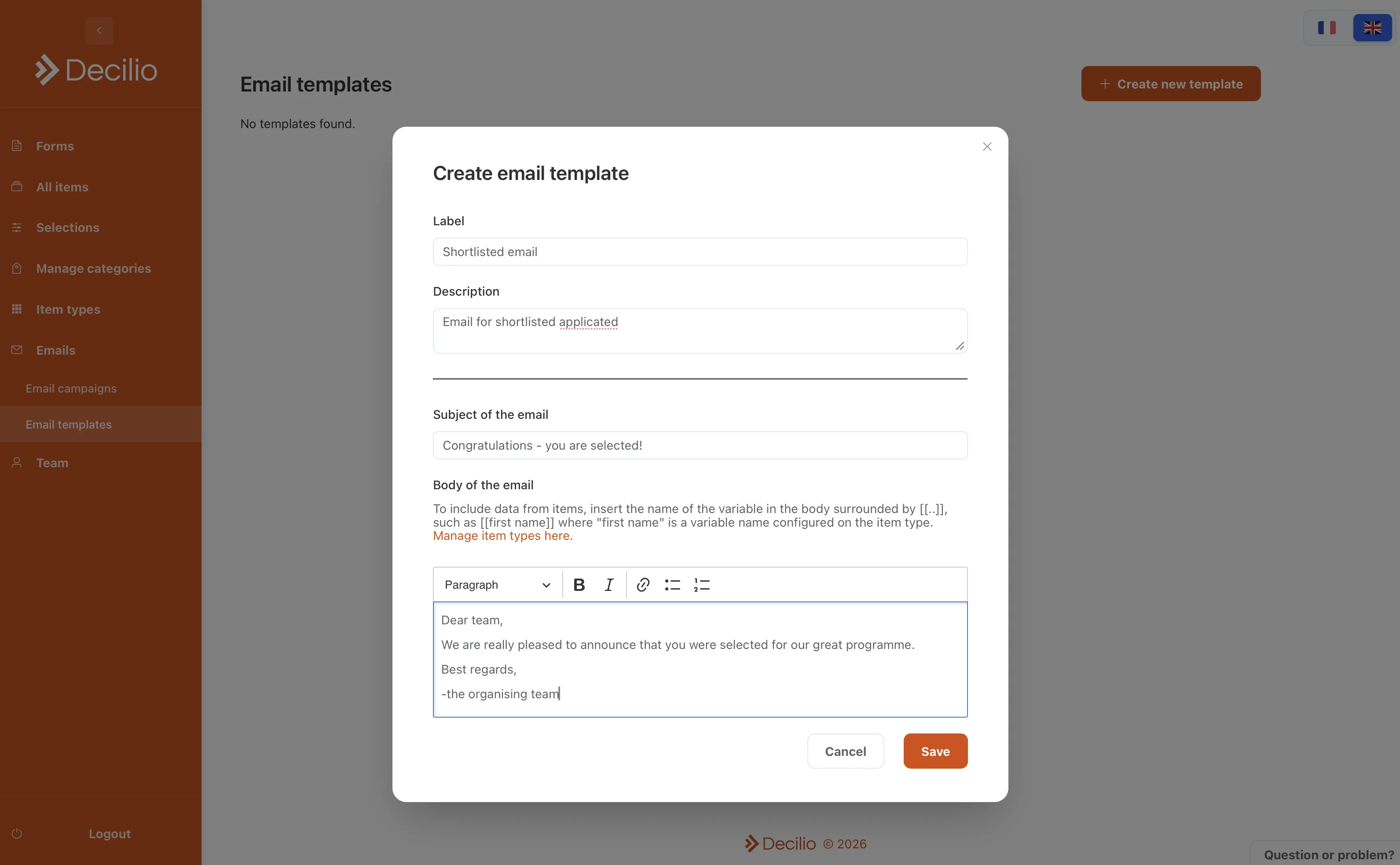
- Write the templateSet the subject and the body. Insert [[first name]], or any variable defined on the item type, where that applicant’s detail should appear.
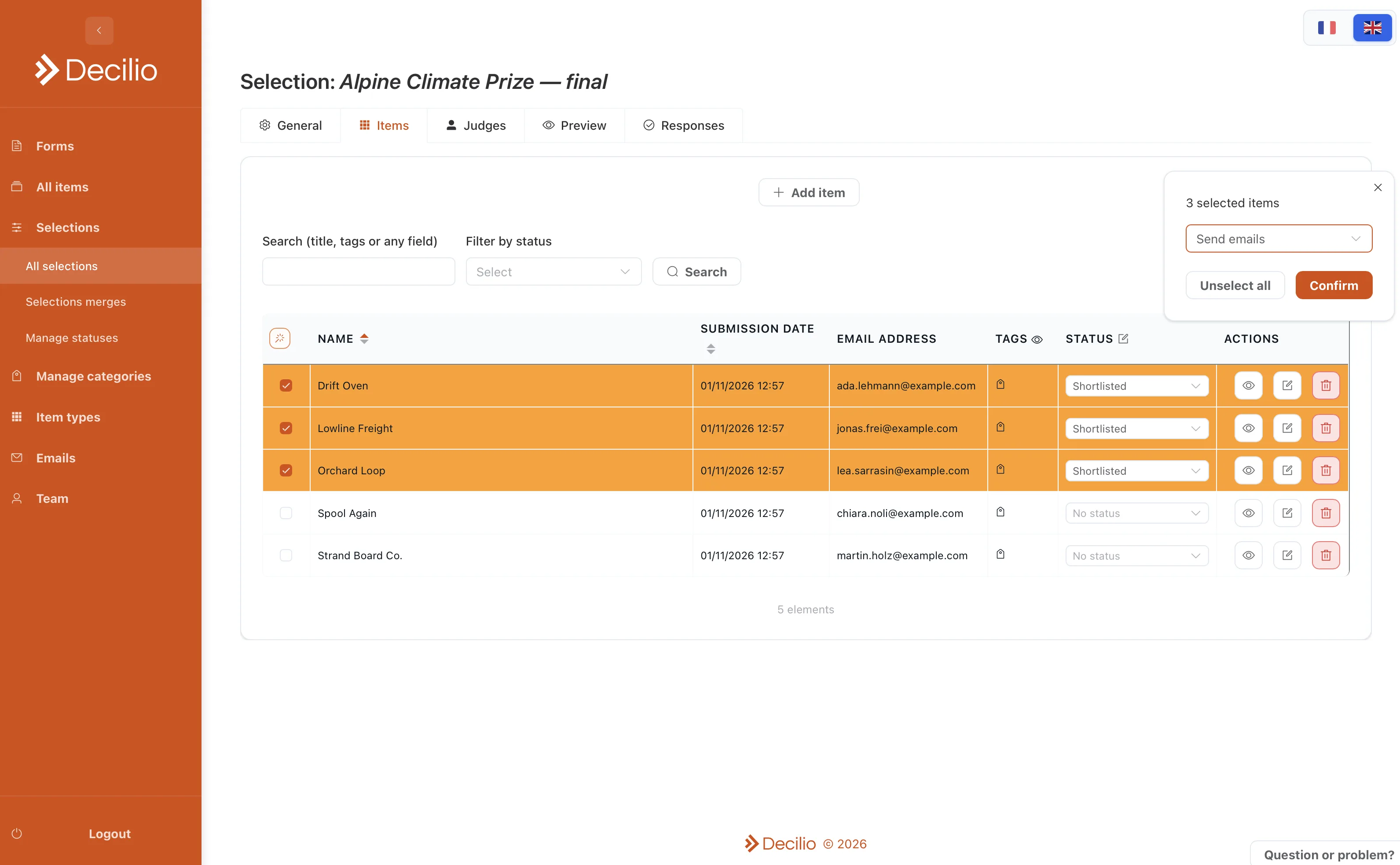
- Choose the applicantsSelect the items on the selection. Filter by status when only the shortlist, or only the people you still need to write to, should get this letter.
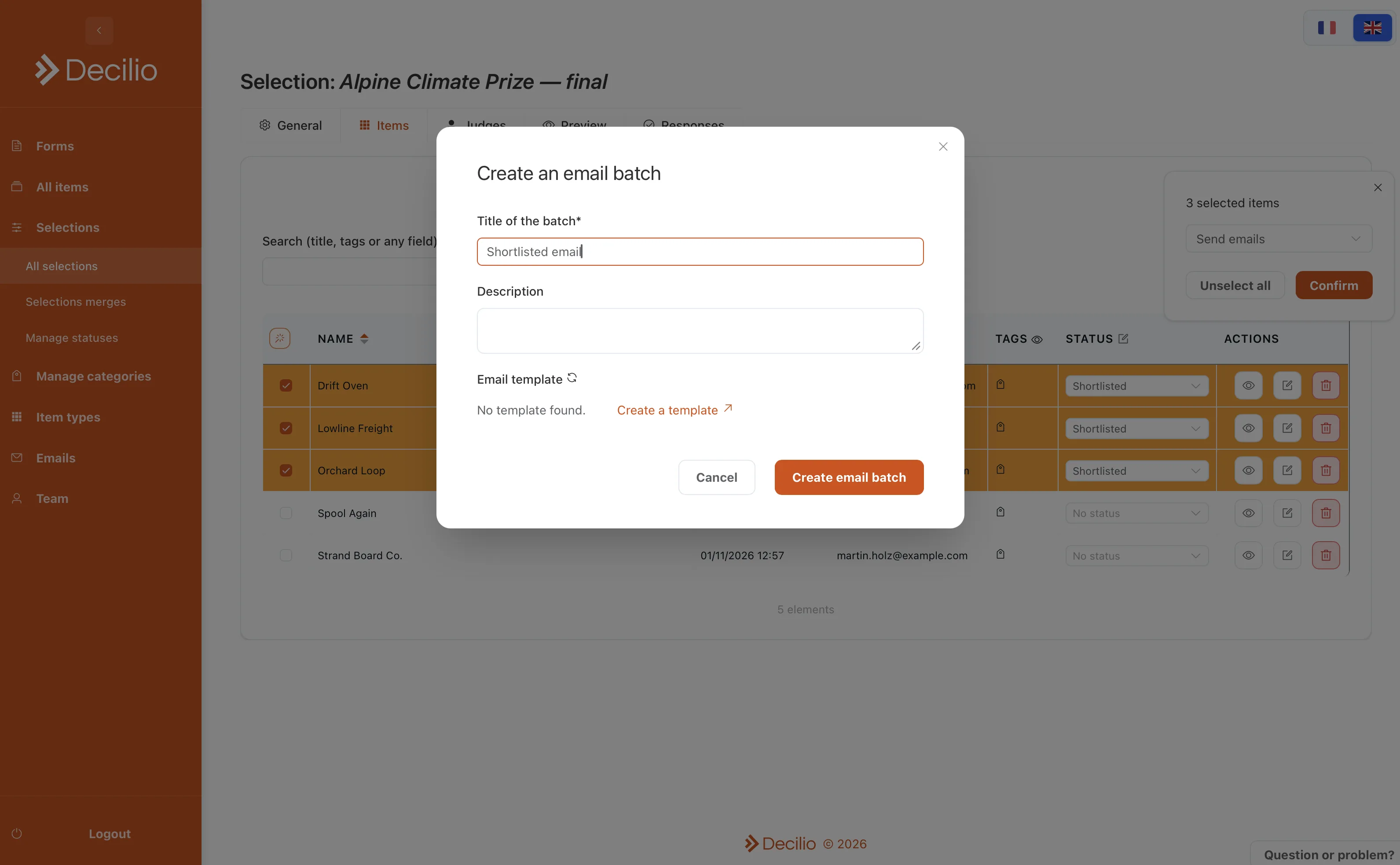
- Create the batchGive it a title and pick the template. The same template can be reused for the next cohort.
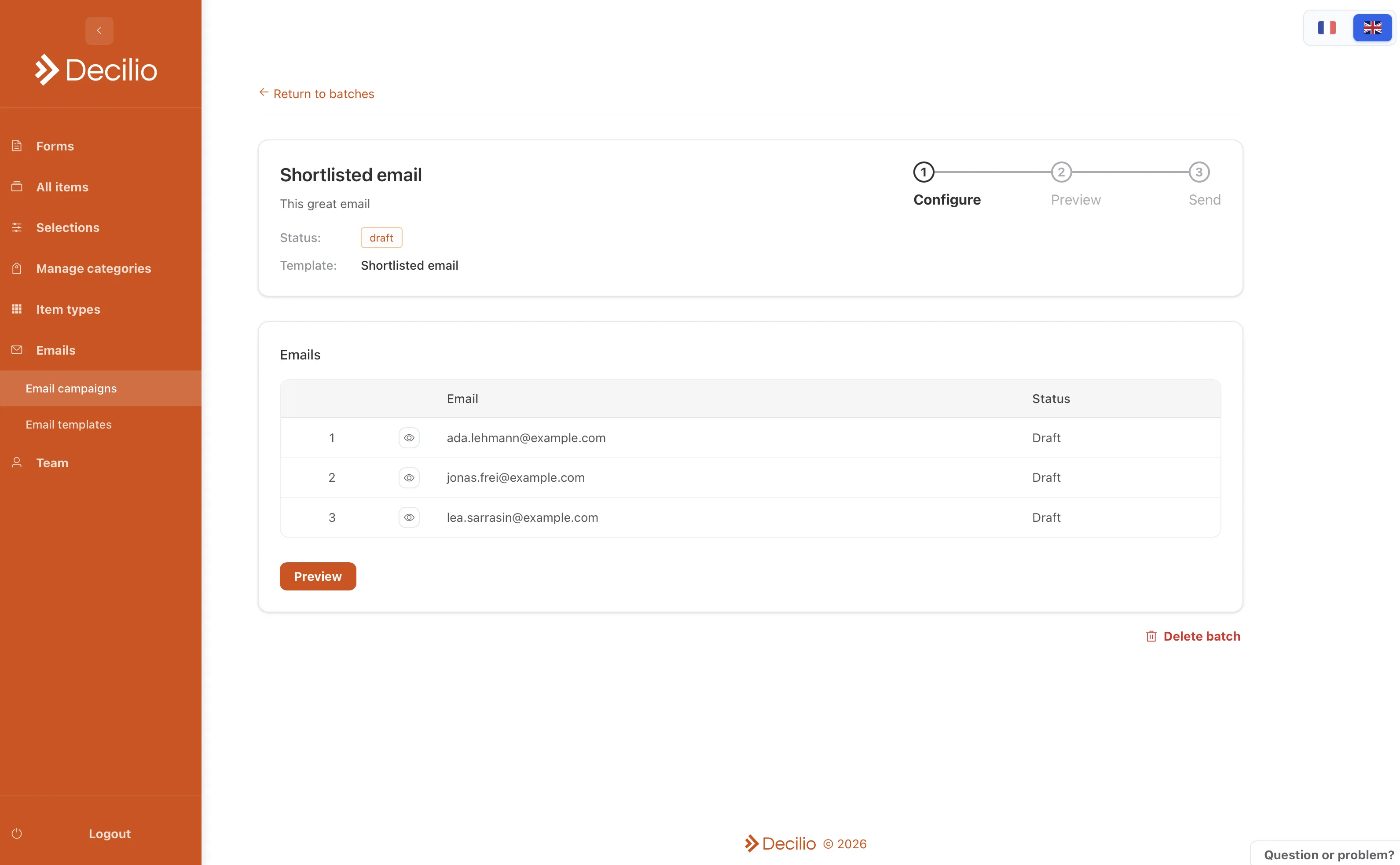
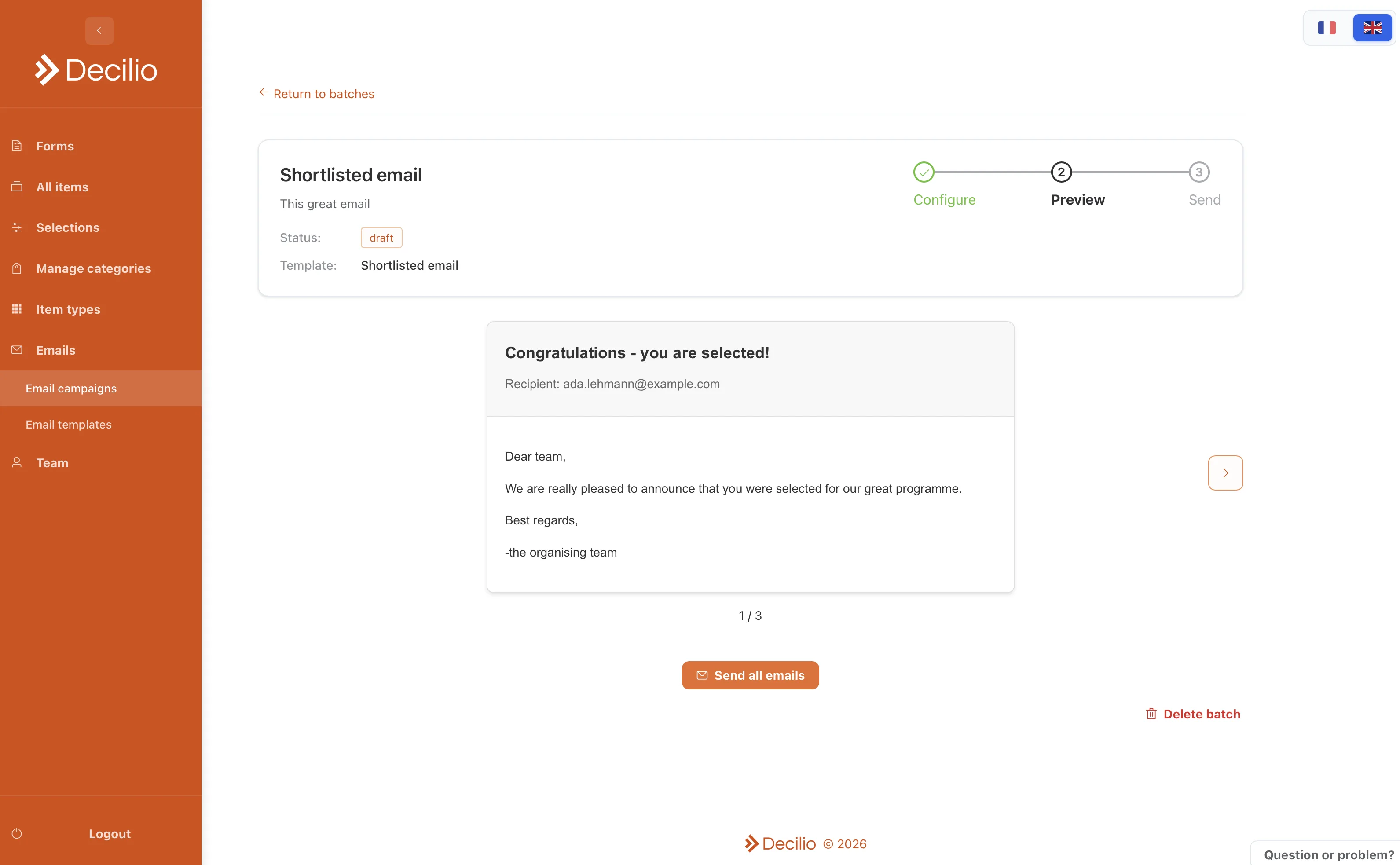
- Preview each emailWalk through the drafts. The variables are already replaced, and each message is still unsent.
- SendSend the batch together. Write another template when the next note is a meeting time or a different result.