
How a selection works
Collect the applications, let the jury decide, and read the result in the same workspace.
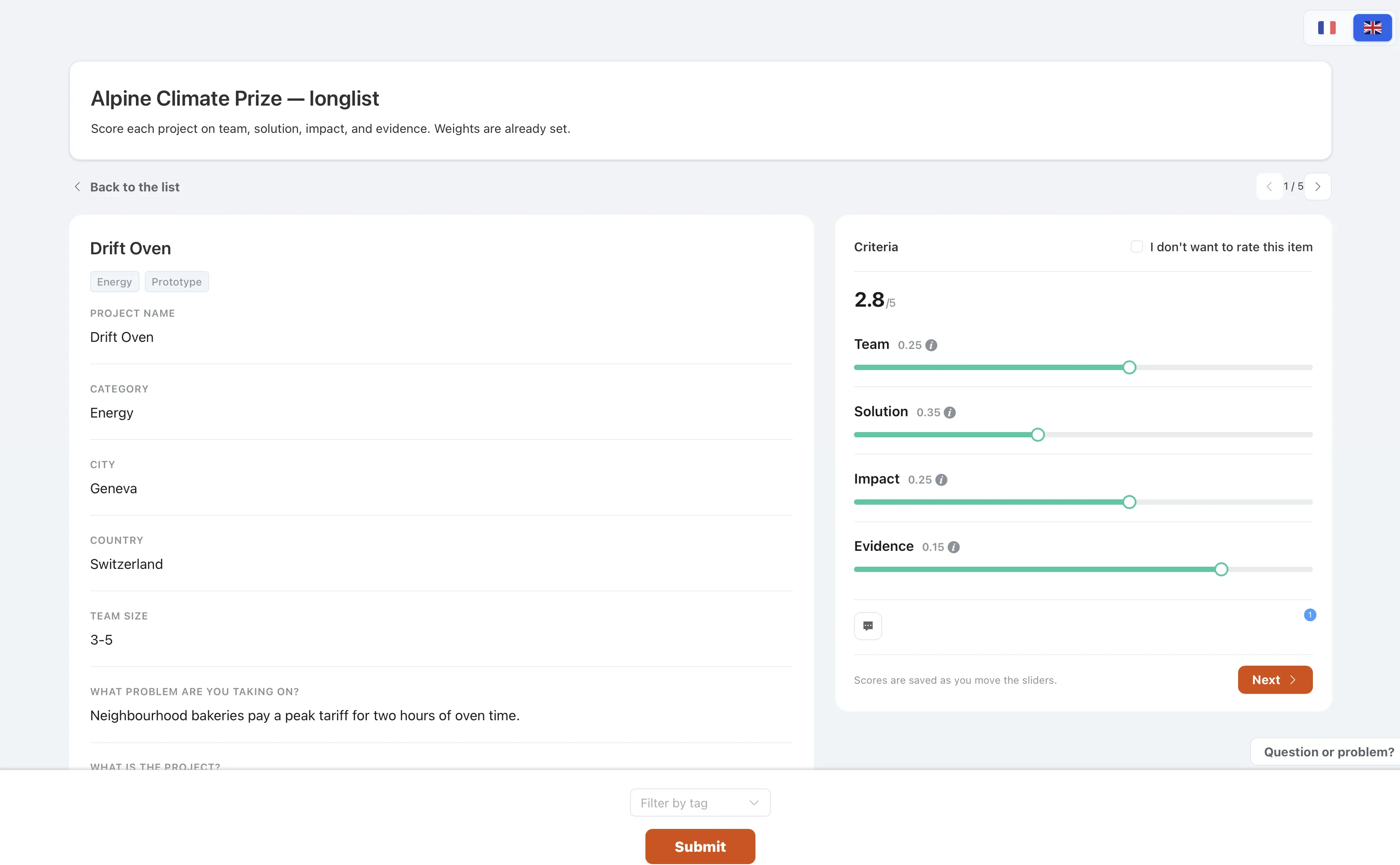
You run a selection in five moves. Applicants never need an account. Judges never need one either: each person opens a private link.
- Create the formAdd the questions, the required fields, and a file upload. Publish the applicant link when a test submission looks right.
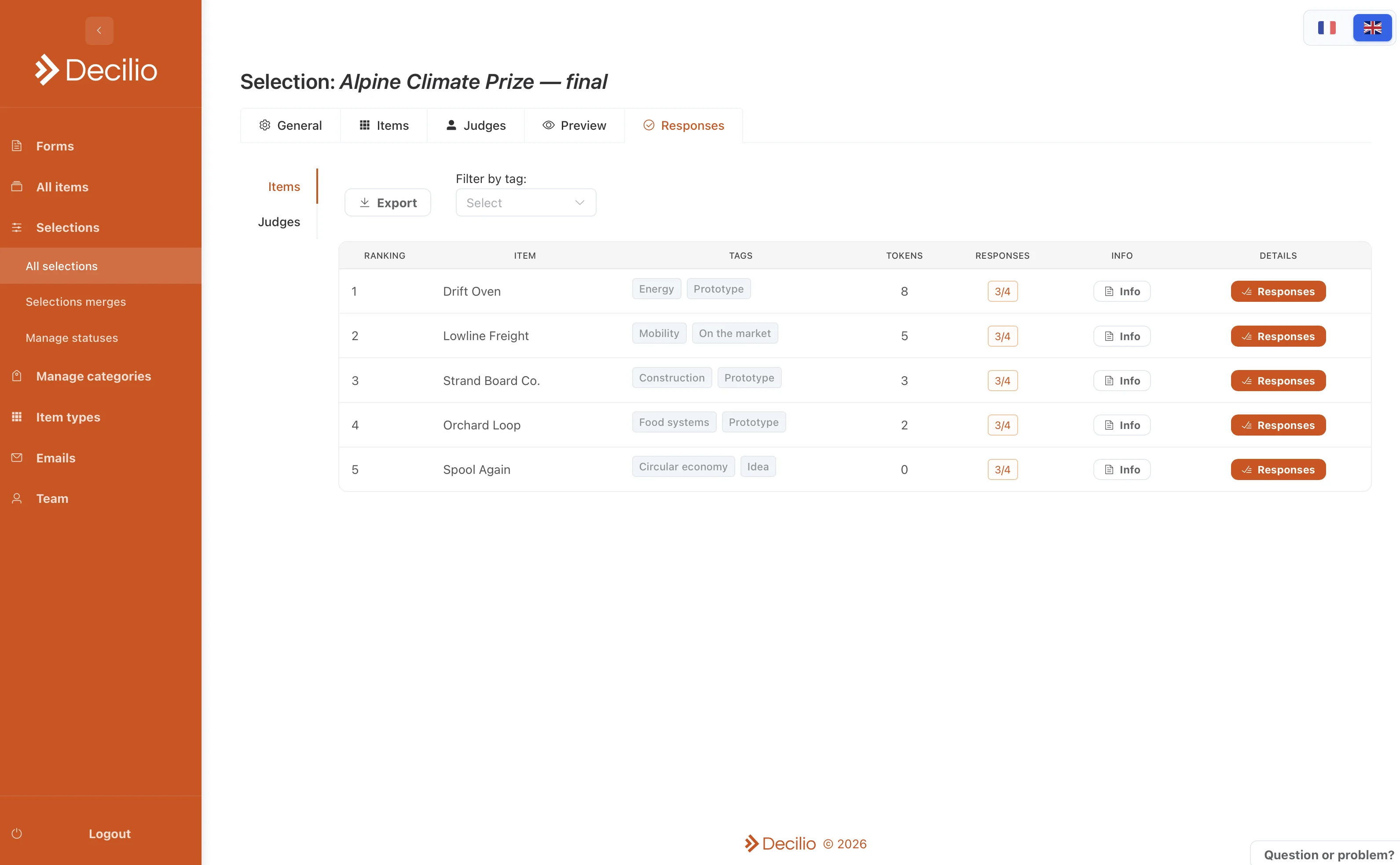
- Open the itemsEach response becomes an item. The answers, tags, and files stay on it.
- Choose the modeRating, if judges score criteria. Tokens, if each judge spends a fixed budget. Pick, if they choose up to a set number.
- Invite the jurySend a private link to each judge. Limit a person to one track if that is the brief, then remind anyone who has not submitted.
- Read the responsesOpen the report for the average, the token total, or the pick count, with comments beside it. Export if the meeting needs a file.
Features
Intake forms
The application, before the jury sees it.
Rating
Score each candidate on your criteria.
Tokens
Every judge spends the same budget.
Pick
A yes-or-no shortlist, with a maximum.
Private links
The link is the login. No account.
Comments
The reason for a score, next to the score.
Tags
One list, filtered by track, cohort, or theme.
Reports
The result, while the round is still open.
The jury email comes from the selection.
Batch email
One template, a personal message for each applicant.
Public voting
An audience round, with a check on who submits.
Merge
Several rounds, one decision.
Workspaces
The team that runs the program, separate from the jury.
Hosting
Applicant files and jury scores stay in Switzerland.